Respond while the customer is still there.
Write the condition once, such as a trial that hits its plan limit, a third failed search or a basket gone quiet. Signals checks it continuously and tells your app, Braze, Kafka or a webhook the moment it is true.
Below is your own visit to this page, computed by Signals as you read.
Signals, about you
connectingSignals is computing your first attributes from the events this page just sent.
Every highlighted part is an attribute Signals computed from the behavioral data your browser sent during this visit. Open the Product menu above and watch the sentence change.
Most stacks notice the moment after it has passed.
Emails, dashboards and syncs run after the fact. They are right about what happened, and too late to change it.
Moments worth acting on before they pass.
Each of these is a rule over what a customer is doing, delivered while there is still time to change the outcome.
Higher trial to paid conversion
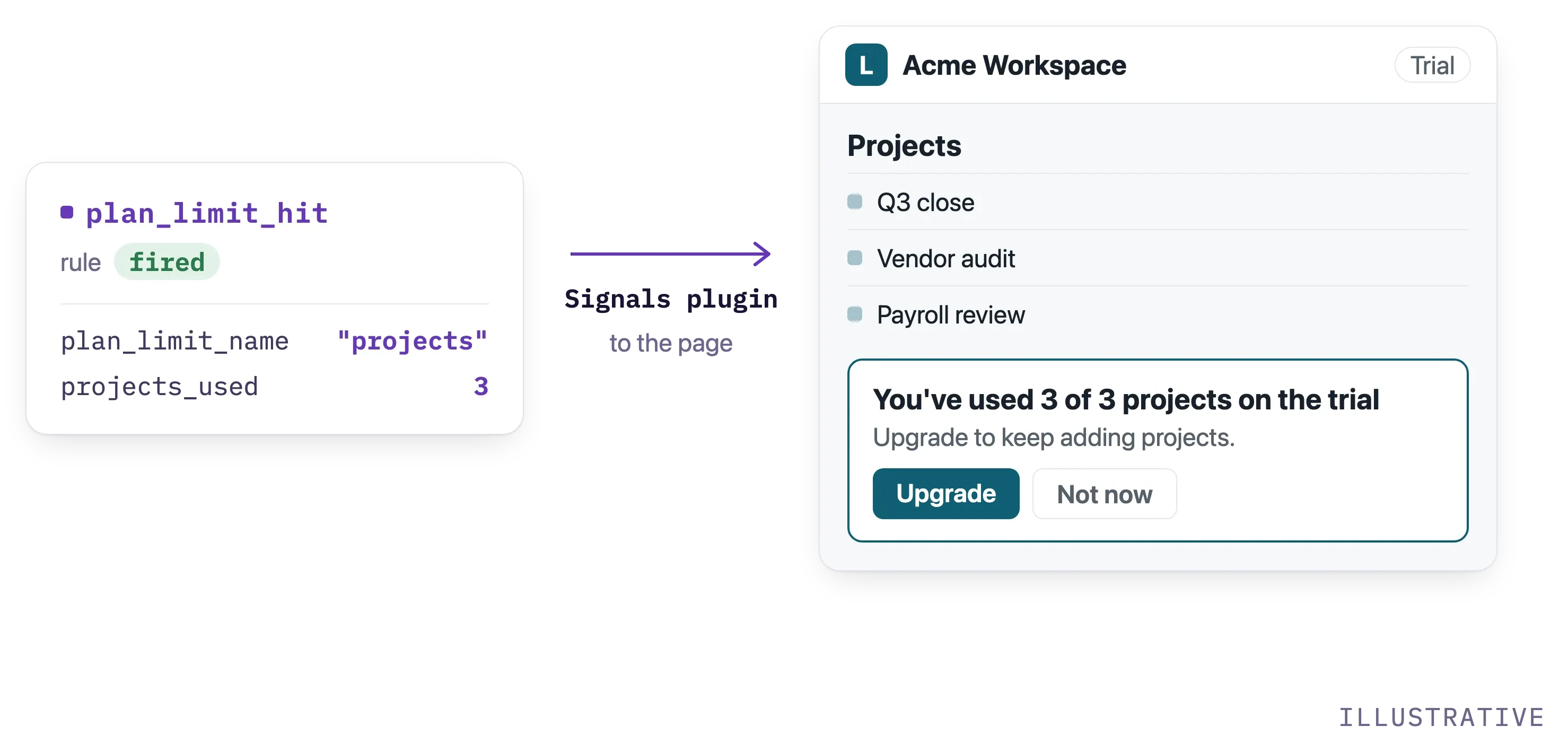
The upgrade prompt arrives on the trial's schedule, not the user's. A rule fires when a workspace hits its plan limit, so the prompt appears then and names the limit.
Fewer abandoned baskets
The reminder lands in tomorrow's email. A rule fires when a high-value basket goes quiet, so the page offers help while the shopper is still there.
Higher subscription conversion
The paywall offer is the same for every reader. A rule fires on a reader's fourth article this week, so the offer goes to the reader most likely to pay.
Higher D1 retention
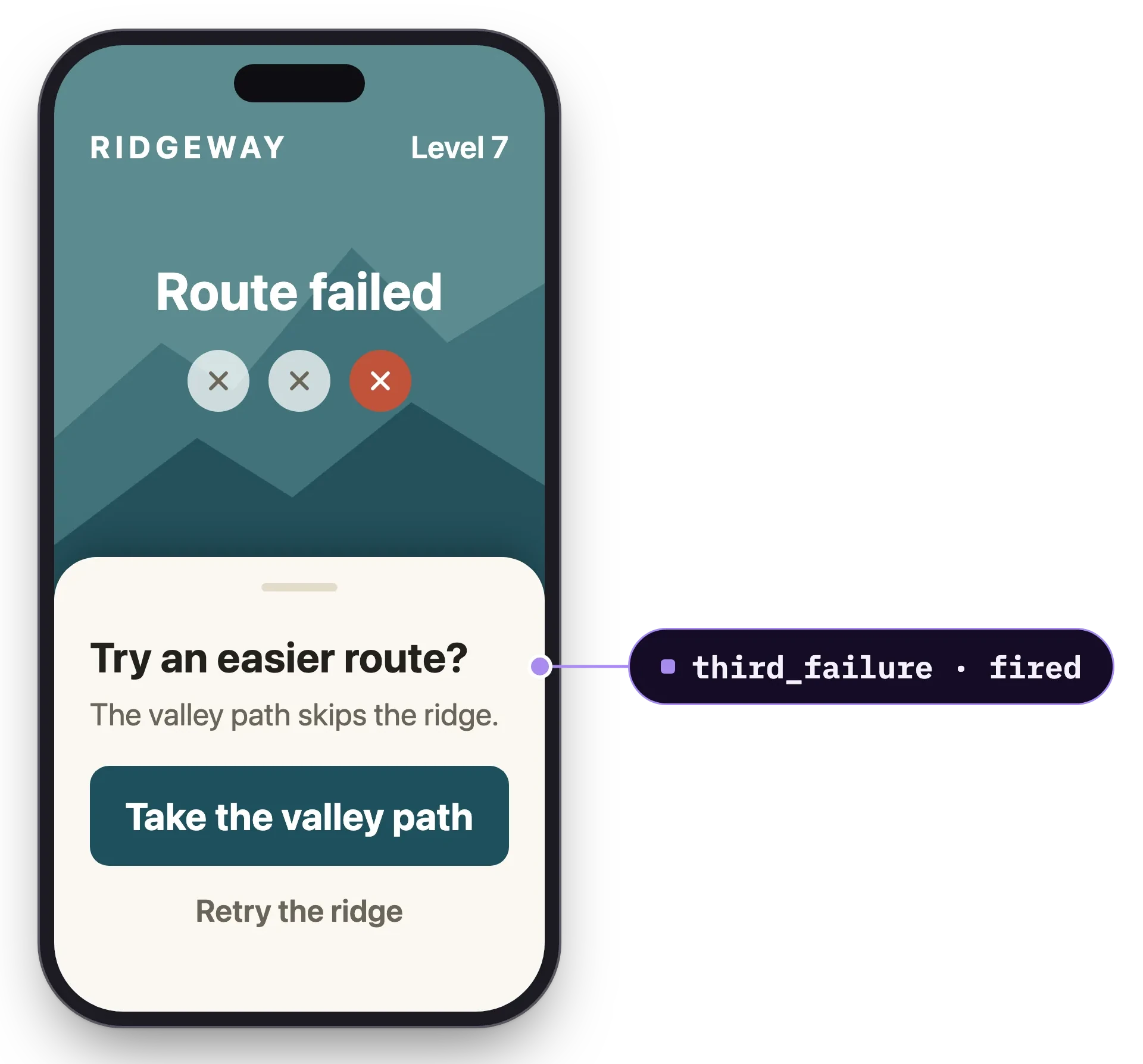
A new player failing the same level a third time is about to quit. A rule fires on the third failure, so your game server can ease the level in time.
Write the condition once. Signals watches it continuously.
Add a Snowplow SDK
Web, mobile or server. Events start flowing, validated against your schemas. No event stream to build first.
Describe the moment as a rule
A threshold, a window and a key, over attributes you define. In the console without a ticket, or in code.
Pick where it goes
Into your page over a live connection, or to Braze, Kafka, a webhook or Pub/Sub. Signals supplies the moment; your handler decides what happens next.
- Braze
- Kafka
- Pub/Sub
One handler on the page, called the moment a rule fires.
Signals ships a plugin for the Snowplow browser tracker. It holds one live connection for the visitor and calls your handler with the rule's name and the attributes that made it fire.
npx plugins add snowplow/skillsimport { newTracker } from "@snowplow/browser-tracker";
import {
SignalsInterventionsPlugin,
addInterventionHandlers,
subscribeToInterventions,
} from "@snowplow/signals-browser-plugin";
newTracker("sp1", collectorUrl, {
appId: "web-app",
plugins: [SignalsInterventionsPlugin()],
});
addInterventionHandlers({
upgrade(intervention) {
if (intervention.name === "plan_limit_hit") {
showUpgradePrompt(intervention.attributes.plan_limit_name);
}
},
});
subscribeToInterventions({ endpoint: signalsEndpoint });Add Snowplow Signals to this app so it reacts when a trial user hits their plan limit. Add the Snowplow browser tracker with the Signals interventions plugin, define a rule named plan_limit_hit over the user's usage against their plan, and register a handler that shows our upgrade prompt when it fires. Leave the billing logic as it is, so the only thing that changes is when the app hears about the limit.
A rule fires the first time its condition is true for a key, and rules keyed on the session re-arm with the next session. The plugin tracks each delivery as an event, so you can measure what the nudge did.
The feature: Real-time triggers →Full reference: Subscribe to interventions →
The page hears about it while the shopper is still there.
Event in to attribute updated
Your page holds one live connection instead of asking
user · session · basket · listing · store
Before you write your first rule
Does Signals decide what happens when a rule fires?
No. Signals tells your code the moment the condition is true and sends the attributes behind it. Your handler, or the tool you deliver to, decides what the customer sees.
Can a rule fire when something does not happen?
Yes. A rule can fire when an expected event does not arrive inside a window, such as a trial user who stops halfway through setup or a basket that goes quiet.
Where can a rule deliver?
Into your page over server-sent events, or to Braze, Kafka, a webhook or Pub/Sub.
Will the same customer get it over and over?
Not by default. A rule fires the first time its condition is true for a key, and rules keyed on the session re-arm when a new session starts. A rule built on a change in value fires on every change, if that is what you want.
Can I test a rule before it goes live?
Yes. Replay it over warehouse history to see how often it would have fired, then publish. Old versions keep firing until you retire them.
Do I need an event stream already?
No. Collection is part of Signals. Add a Snowplow SDK and events start flowing. If you already run Snowplow, Signals reads the pipeline you have.
Fire your first rule on your own traffic.
Add the SDK, write one rule, then set it off yourself by clicking around your own site. The free tier runs on the real engine: no card, no sales call.