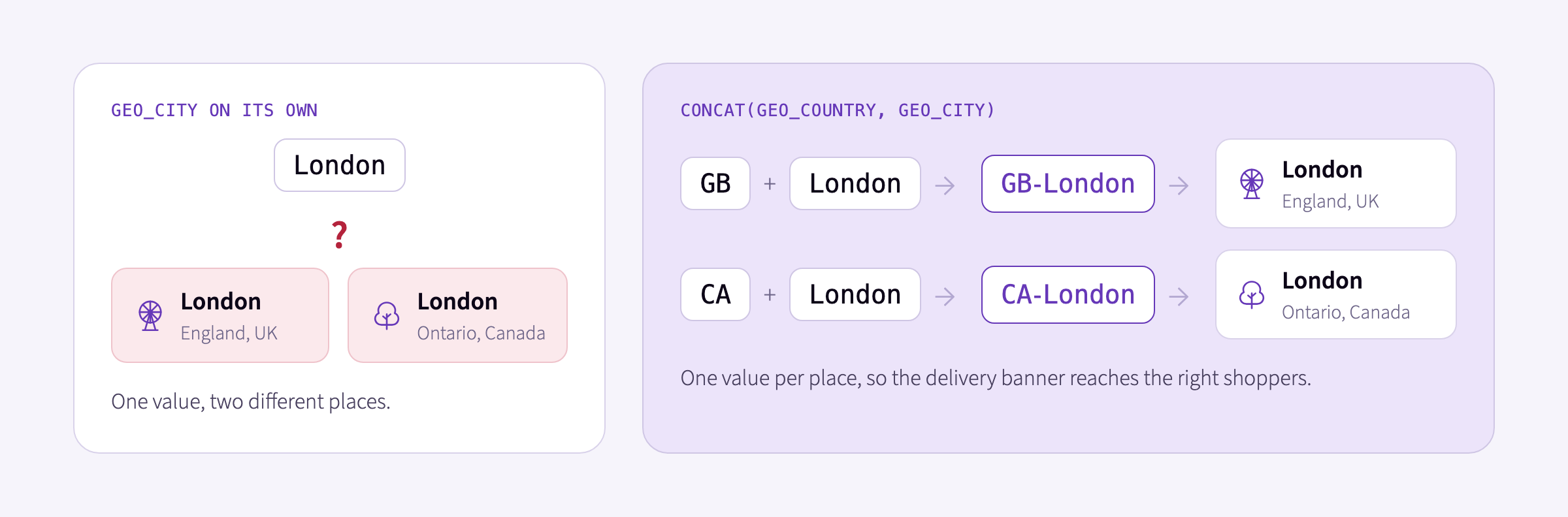
Your tracking is in place and events are flowing. Now your team wants your website to show a same-day delivery banner to shoppers who usually browse from London, England, before the page renders. geo_city alone can’t tell London, England from London, Ontario. Your events already carry geo_country too, but a Signals attribute, the value kept up to date for each user, needs the two as one value, like GB-London.
Calculated properties now handle that for you in Signals. You combine the fields in the attribute definition with concat, sum, product, min, max, or coalesce, and Signals computes the value.
How calculated properties work
Three rules apply to any calculated property:
- What you can combine. Snowplow’s out-of-the-box atomic fields, such as
geo_country, and properties from event and entity schemas, including your own custom ones, in any mix. - When Signals computes it. In-stream as each event arrives. With a backfill, it also covers the events already in your warehouse, so a new attribute starts with history.
- How it feeds the aggregation. Each event gets its own value, like
GB-London, and the attribute’s aggregation then runs across all of a user’s events.
Example: finding the right London
Take a shopper who browses from London, Ontario. An attribute built on geo_city alone returns London, so they see a same-day delivery offer that can’t reach them.
The obvious fix is a second attribute for the most frequent country, but that breaks too. A shopper from London, England who spends a week on vacation in Paris and Lyon can end up with France as their most frequent country and London as their most frequent city. Their attributes return FR and London, so the banner’s check for GB and London fails, and they miss an offer they could use.
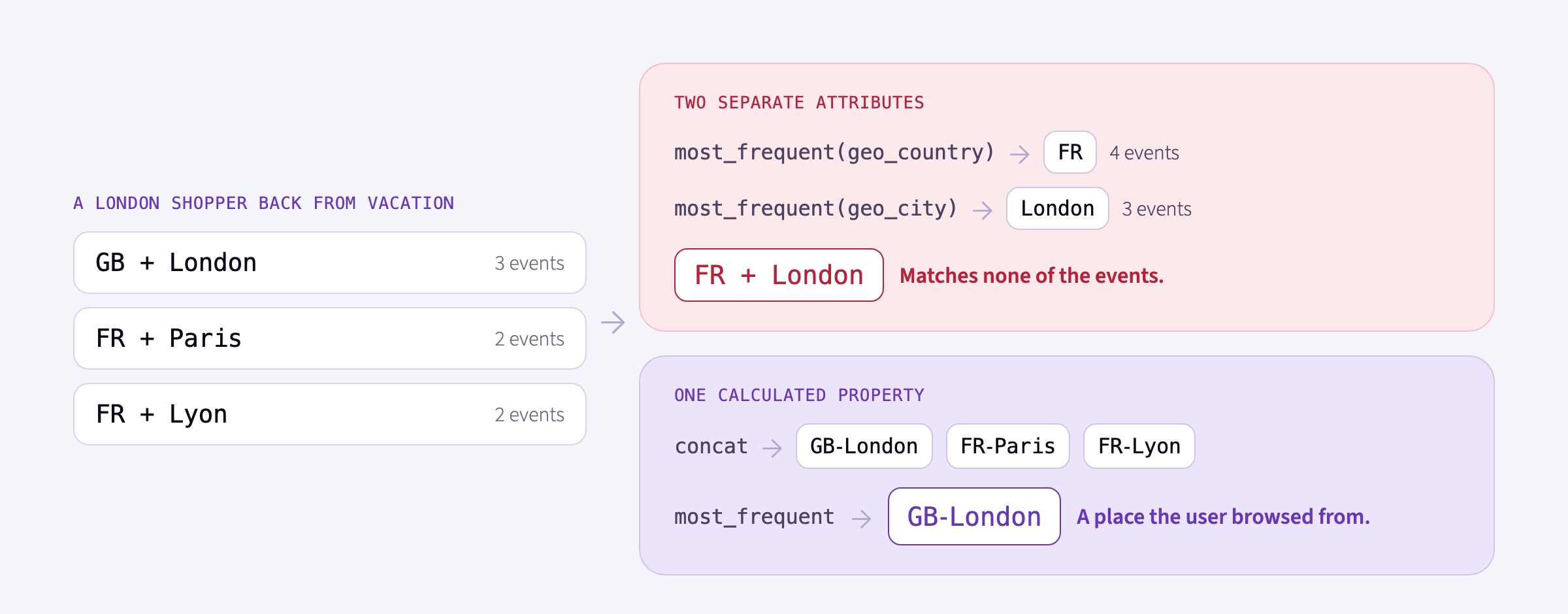
A calculated property joins geo_country and geo_city on each event, so the attribute counts real places: CA-London for the Ontario shopper, and GB-London for the one back from vacation.
You can build this attribute in three ways.
In the Console UI
Tick geo_country and geo_city in the attribute’s property picker. A panel appears where you set their order, the operation, and a separator.
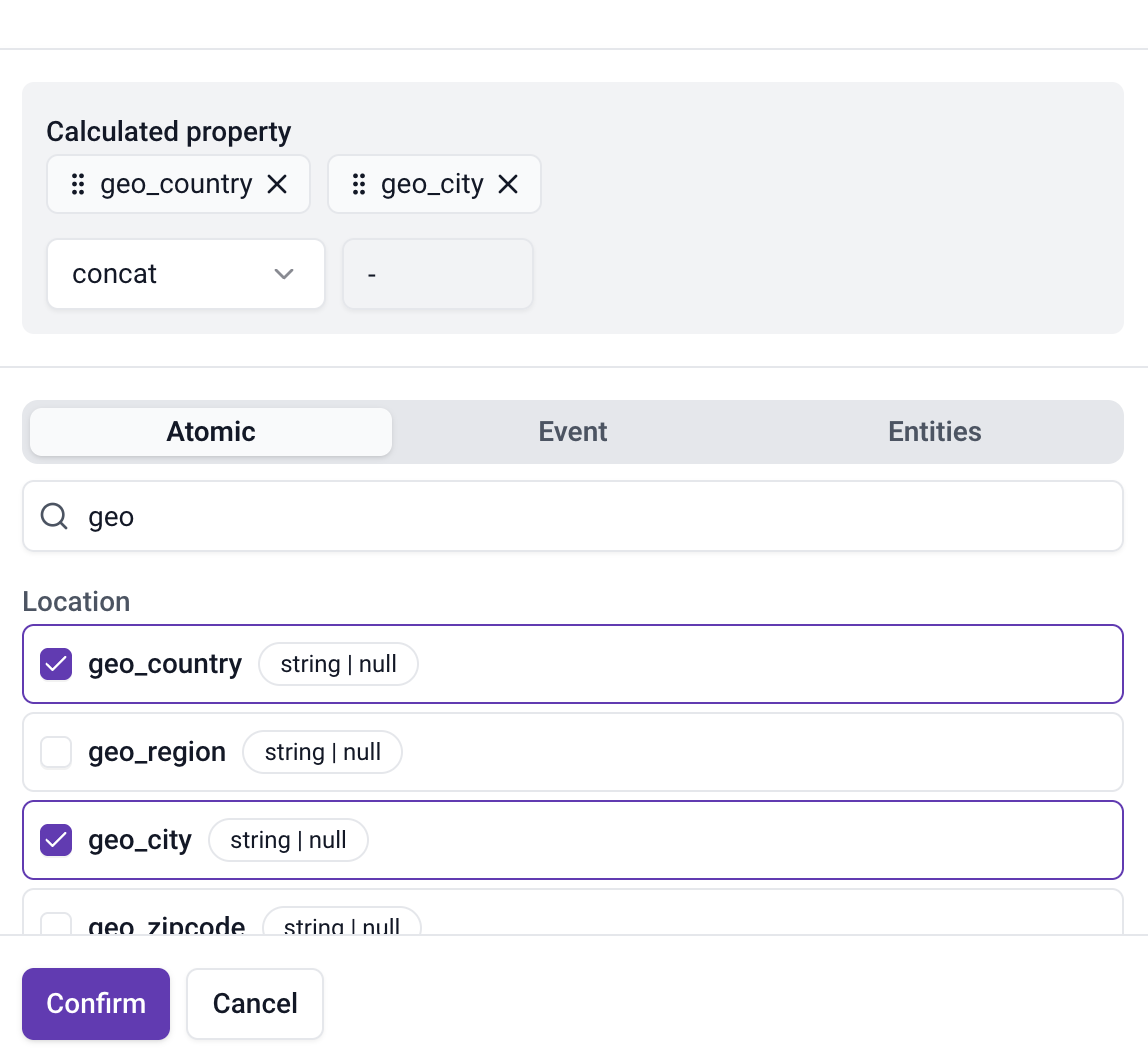
With concat and a hyphen, each event contributes a value like GB-London, and a most_frequent aggregation returns the one that comes up most.
With an AI agent
Ask the Snowplow Assistant in Console, or any agent connected to the Snowplow MCP server:
“Create an attribute with the country and city a user browses from most often.”
In the Python SDK
from snowplow_signals import Attribute, AtomicProperty, CalculatedProperty

usual_location = Attribute(
    name="usual_location",
    description="Country and city pair a user browses from most often",
    type="string",
    events=[],
    aggregation="most_frequent",
    property=CalculatedProperty(
        operation="concat",
        separator="-",
        properties=[
            AtomicProperty(name="geo_country"),
            AtomicProperty(name="geo_city"),
        ],
    ),
)
What’s in this release
There are six operations to choose from, each shown with an example personalization use:
- concat joins values into a string, with an optional separator:
mkt_sourceandmkt_mediumgivegoogle-cpc, to tailor the landing message to the channel a user arrived from. - sum adds numbers:
subtotal,tax, andshippinggive an order’s total, which asumaggregation turns into lifetime spend for loyalty offers. - product multiplies numbers:
priceandquantityon an add-to-cart event give the value of the items added, for a free-shipping nudge. - min takes the smallest value: the lower of
member_priceandstandard_priceis the price to show a member. - max takes the largest value: the higher of
list_priceandcompare_at_priceis the original price to show next to a discount. - coalesce returns the first property that has a value:
sale_price, thenlist_price, on a purchase event gives what a user actually paid, for price-sensitive offers.
Calculated properties are available in the Console UI, through the Snowplow Assistant and the MCP server, and in the Python SDK from snowplow-signals 0.4.9.
To build your own, see the calculated properties documentation.